Performance check
Based on your configuration
RAM is the limiting factor
RAM is the limiting factor
RAM is the limiting factor
Assessment is based on technical specifications — not an official benchmark.
Microsoft Surface Laptop 3 1872 i5-1035G7 15'' 2496x1664
4600010101002
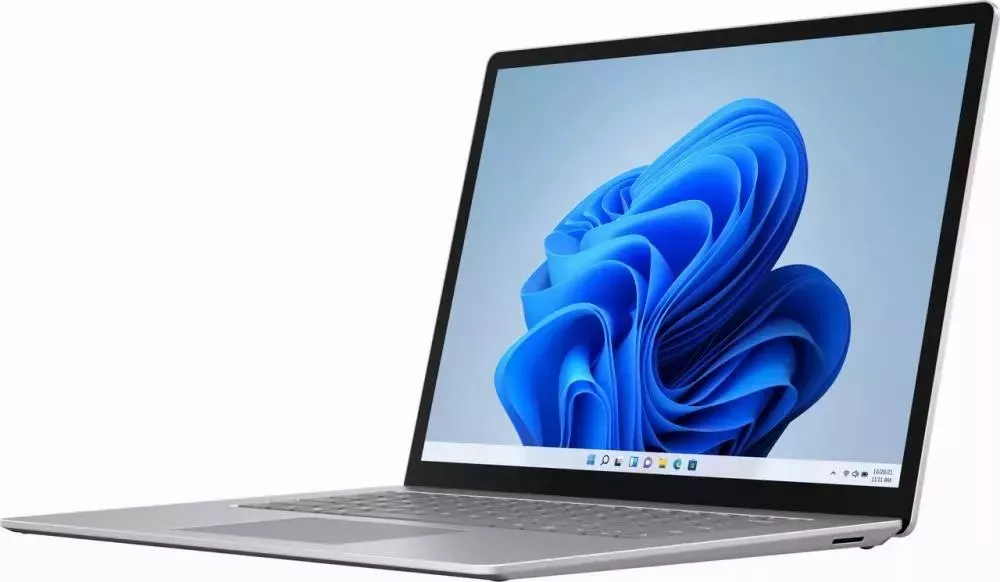
Surface Laptop 3
Surface Laptop 3 has the power and style to help you get things done the way you want throughout your day.
Get to know Surface Laptop 3
Below are some diagrams for Surface Laptop 3 to help you get around.
Surface Laptop 3 Features
Thin and light designThe Surface Laptop 3 is thin and light, weighing from 1.25 kg, so you can take it with you all day. Choose between a 13.5-inch and a 15-inch screen – depending on what is best suited for your work. Both are touchscreen displays with PixelSense, which provide a crisp resolution.
Get the performance you needFor personal use, choose between a 10th generation Intel Core or AMD Ryzen Microsoft Surface Edition processor to get the desired performance and power so you can do your best. For business customers, the latest 10th generation Intel Core processor provides the power you need to get your tasks done.
Choose the finish and colour you wantChoose between the new metal palm rest or the familiar Alcantara® material – you can get the look that suits you. No matter which one you choose – you get the desired comfort when typing and using your Surface Laptop 3. Various colours are available, so you can choose the one you like.
Work the way you like best – with USB-CConnect to an external display, a docking station, newer USB devices and more via USB-C. If you leave your charger at home, simply use a USB-C cable and power your Surface Laptop 3 with additional battery capacity if required. The Surface Laptop 3 also has a USB-A port, so you can connect your other USB devices at the same time. For more information on charging via USB-C, see Charge Surface.
More with Windows and Microsoft 365Use familiar features like Windows Hello to sign in quickly and Microsoft Edge to browse quickly. With Microsoft 365, you can create your best work and save it securely in Microsoft OneDrive. If you save your documents to OneDrive, you can access them from your PC or phone, so you always have them at hand.
Your benefits with refurbished
Compared to buying new
at least €340
vs. new device
150 kg
Tablet class
600 g
Average value
Ecological values are averages by device class, based on publicly available manufacturer data and studies on IT hardware production.
Configuration
Plus shipping costs
Delivery in 3-5 Tage
14-day returns
Easy returns
Secure payment
SSL-encrypted
BUSINESS DEVICE IN PREMIUM REFURBISHED STANDARD
Surface Laptop 3
Surface Laptop 3 has the power and style to help you get things done the way you want throughout your day.
Get to know Surface Laptop 3
Below are some diagrams for Surface Laptop 3 to help you get around.
Surface Laptop 3 Features
Thin and light designThe Surface Laptop 3 is thin and light, weighing from 1.25 kg, so you can take it with you all day. Choose between a 13.5-inch and a 15-inch screen – depending on what is best suited for your work. Both are touchscreen displays with PixelSense, which provide a crisp resolution.
Get the performance you needFor personal use, choose between a 10th generation Intel Core or AMD Ryzen Microsoft Surface Edition processor to get the desired performance and power so you can do your best. For business customers, the latest 10th generation Intel Core processor provides the power you need to get your tasks done.
Choose the finish and colour you wantChoose between the new metal palm rest or the familiar Alcantara® material – you can get the look that suits you. No matter which one you choose – you get the desired comfort when typing and using your Surface Laptop 3. Various colours are available, so you can choose the one you like.
Work the way you like best – with USB-CConnect to an external display, a docking station, newer USB devices and more via USB-C. If you leave your charger at home, simply use a USB-C cable and power your Surface Laptop 3 with additional battery capacity if required. The Surface Laptop 3 also has a USB-A port, so you can connect your other USB devices at the same time. For more information on charging via USB-C, see Charge Surface.
More with Windows and Microsoft 365Use familiar features like Windows Hello to sign in quickly and Microsoft Edge to browse quickly. With Microsoft 365, you can create your best work and save it securely in Microsoft OneDrive. If you save your documents to OneDrive, you can access them from your PC or phone, so you always have them at hand.
Business-grade performance
Intel Core i5 1035G7 delivers responsive, stable performance – ideal for multitasking and demanding business applications.
Your ideal system base
This device combines stylish design, efficient cooling and reliable protection for all components – the perfect foundation for your setup.
Business-class quality
Originally developed for enterprise use: durable, stable and ergonomically designed – top technology at a fair price.